Eventzilla makes it easy to generate custom based reports for all your events. We offer 3 major categories reports;
1. Order report
2. Attendee report
3. Custom question responses
Check out this demo video;
To generate an event report, click the Events> Analytics - Custom Reports
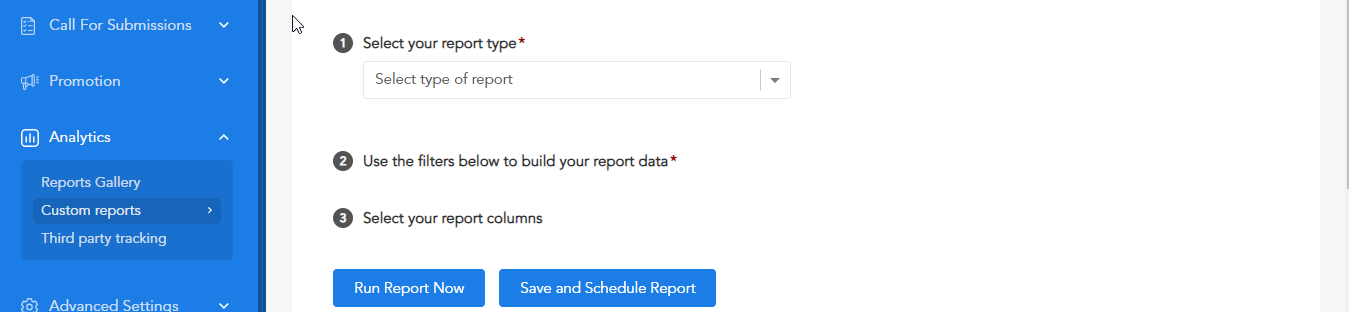
Please follow the steps here to generate an order report.
1. Select report type from the drop down

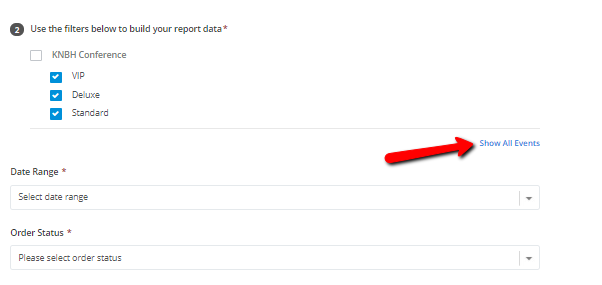
2. Select the following based on the requirement:
- You may select the ticket types for your current event or select ticket types from multiple events at a shot
- Choose the date range
- Ensure to pick the order status you want to include in your report
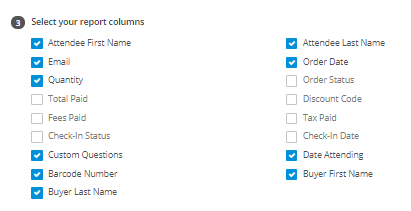
3. You select the report columns:
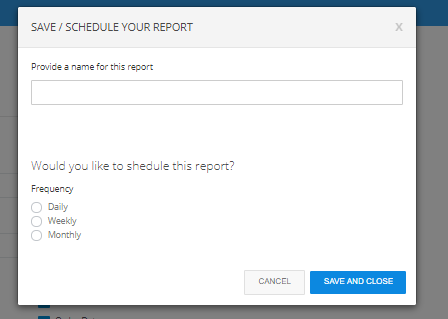
4.We have 2 options to either run the report immediately or scehdule the report generation

4.1 For Schedule option, please set the name and the select the frequency.
For any questions - Send us email at help@eventzilla.net